Home Assistant Power Users: HACS Plug-In Now Considered Essential for Smart Home Control
Smart home enthusiasts who rely on Home Assistant have a new must-have tool: the Home Assistant Community Store (HACS). Without it, experts say your installation is missing a critical layer of functionality that unlocks hundreds of custom integrations and front-end themes.
"HACS has become the single most important add-on for anyone serious about Home Assistant," says Dr. Maria Torres, a smart home technology researcher at the Institute for Digital Living. "It fills the gaps that the core platform intentionally leaves open for developers, turning a capable system into a truly powerful one."
According to Community contributor Jason Lee, who has written several custom components for Home Assistant, installing HACS should be the second step after setting up the basic server. "Once you see what the community offers, you realize you've been running Home Assistant at half its potential. I tell newcomers: get the base running, then install HACS immediately."
Background
Home Assistant is an open-source platform for home automation that integrates with thousands of devices and services. Its core team deliberately keeps the default installation lean, offering only essential core integrations to maintain stability and security.
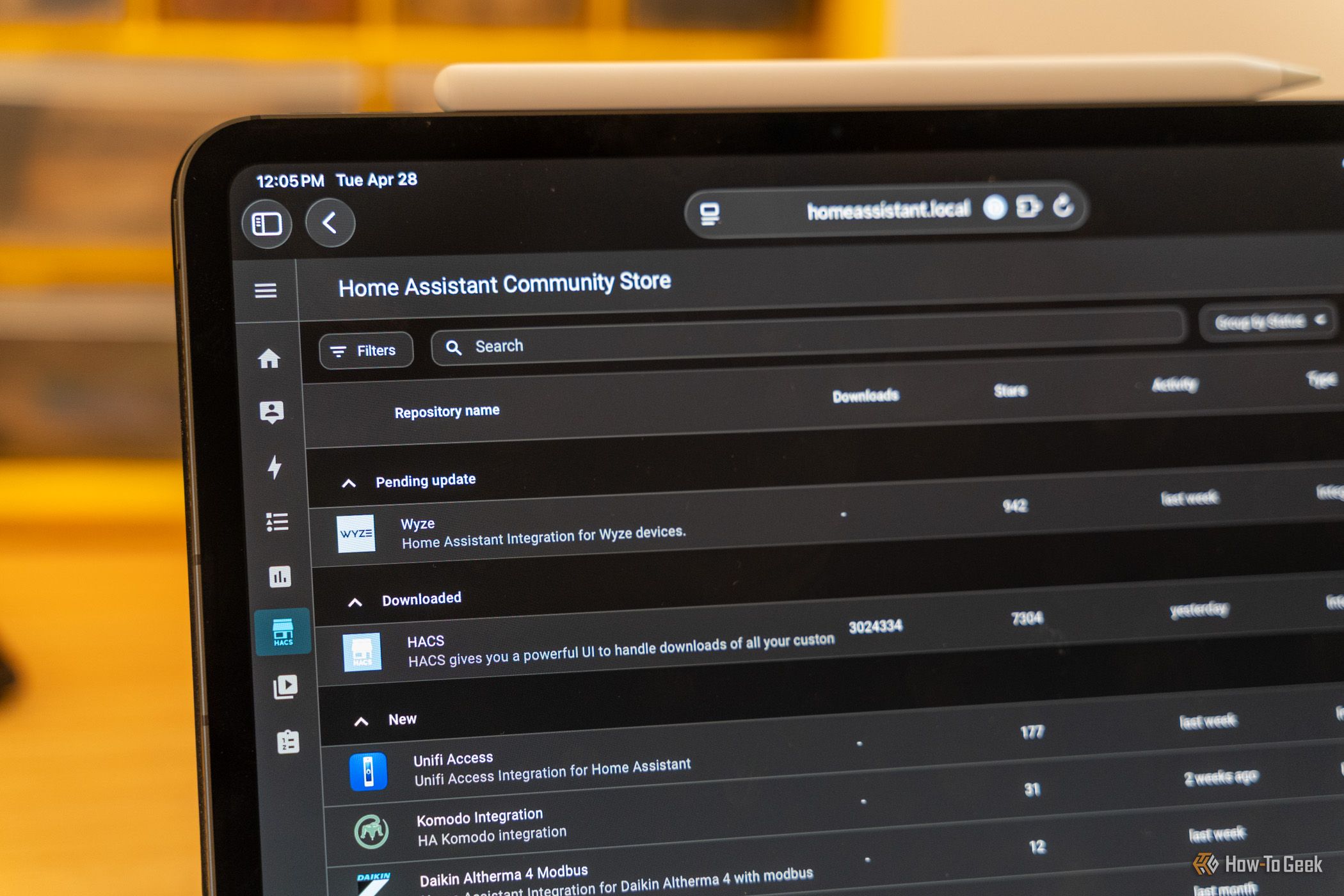
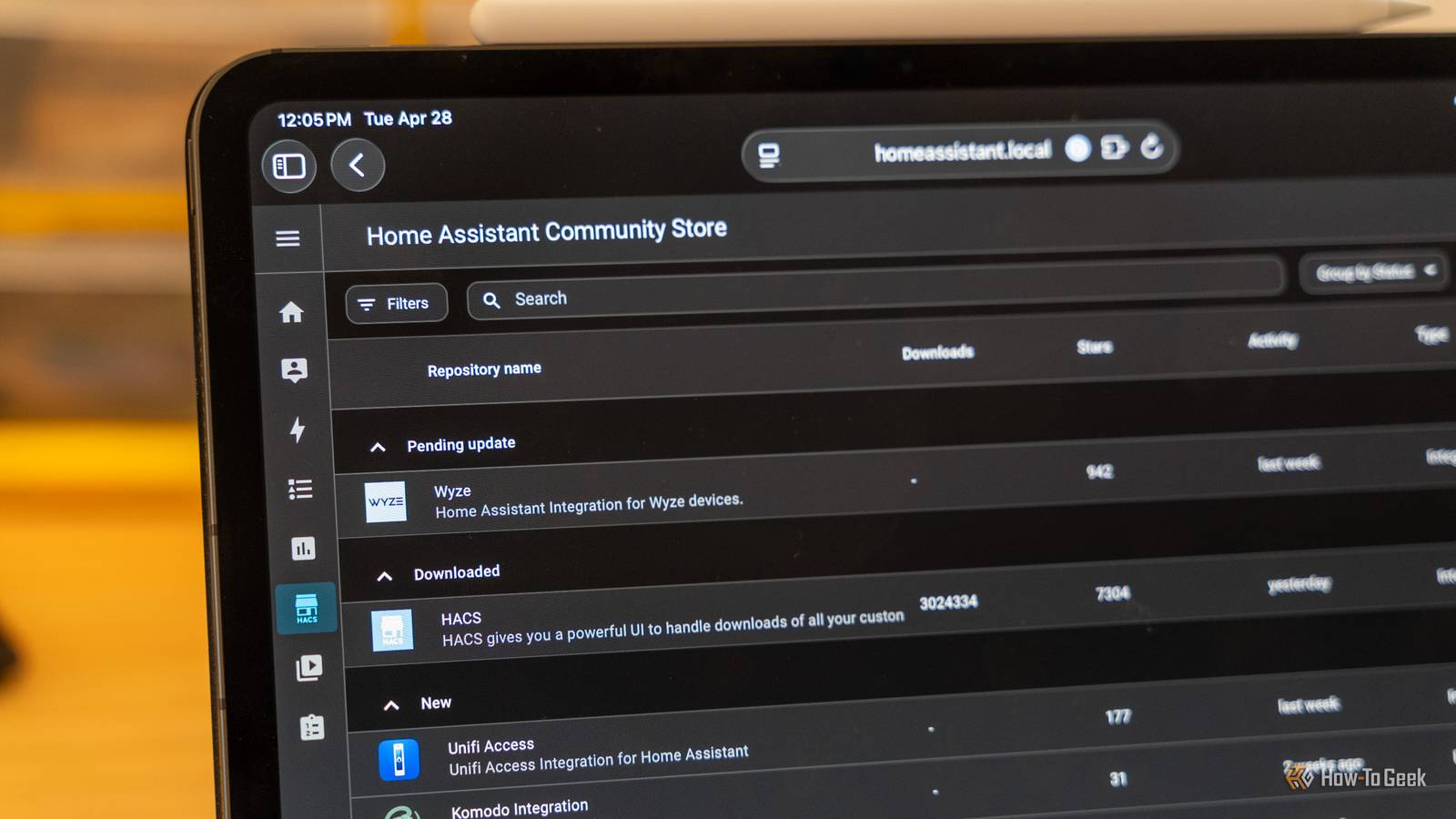
That's where HACS comes in. The Home Assistant Community Store is a third-party repository that allows users to easily browse, install, and update custom components, Lovelace cards, and themes created by the community. It acts as a centralized marketplace for extensions that the core team does not officially support.
Launched in 2019, HACS quickly grew from a small collection of user scripts into a vibrant ecosystem. Today it hosts over 500 custom integrations and more than 1,000 themes, all vetted by a community of contributors who test for basic safety and compatibility.
The Limitations Without HACS
Home Assistant, by design, does not include every available integration in its default package. Many niche devices—from specialized sensors to DIY smart home gadgets—require custom drivers that are not part of the core codebase.
- Limited device support: Without HACS, users must manually download and configure custom components, which can be time-consuming and error-prone.
- No automated updates: Core Home Assistant updates won't cover custom components, leaving them prone to breakage unless users track changes themselves.
- Theme restrictions: The default installation offers limited visual customization; HACS provides dozens of ready-made themes to personalize the dashboard.
"Manually managing custom components is a recipe for frustration," says Lee. "HACS streamlines the whole process, from installing to updating, so you can actually enjoy the smart home instead of fighting with config files."
What This Means
The rise of HACS signals a shift in how the Home Assistant community operates. While the core team focuses on stability, the community fills the functional gaps, making the platform more accessible to non-developers.
For average users: Installing HACS opens up a world of possibilities such as custom energy management dashboards, smart irrigation controllers, and advanced automations that were previously only available through complex manual setups.
For developers: HACS provides a distribution channel that bypasses the official integration process, allowing faster iteration and feedback. This has led to innovations that later influenced core Home Assistant features.
"HACS has effectively become a incubator for new integrations," explains Torres. "Many of the features that are now standard in Home Assistant started as HACS-only projects. The community store is a testing ground that accelerates the entire platform."
How to Get Started with HACS
Installing HACS is straightforward: navigate to the Supervisor > Add-on Store in Home Assistant, search for HACS, and click install. The process takes less than five minutes on a typical system.
- Ensure your Home Assistant installation is up-to-date (version 2024.x or newer recommended).
- Open the Supervisor panel and go to the Add-on Store tab.
- Search for "HACS" and click Install.
- After installation, configure a GitHub account to enable browsing and installation of components.
- Restart Home Assistant and begin exploring the integrated store under the HACS menu.
Once installed, users can browse hundreds of custom integrations directly from the Home Assistant interface, install them with one click, and receive automatic update notifications.
Expert Verdict
"HACS is no longer optional," concludes Dr. Torres. "If you want to get the most out of Home Assistant, you need this plugin. It's the difference between a good smart home and a great one." The consensus among power users is clear: Home Assistant without HACS is incomplete.
As the smart home ecosystem grows, tools like HACS ensure that Home Assistant remains flexible enough to support new devices and ideas. For anyone building a custom smart home, this community store has transformed from a convenience into a necessity.
Related Articles
- Coding Agents Get New Maintainability Sensors: Static Analysis Framework Revolutionizes Code Quality
- Robotics Funding Surges to Record $40.7B, Yet Experts Warn Against Overhyping AI Breakthroughs
- Firmware Update Blocks Home Assistant: Tapo L530 Smart Bulb Integration Fix Revealed
- Standard Chartered's AI-Driven Workforce Overhaul: 7,000 Job Cuts and Automation Focus
- Securing Autonomous AI Agents in CI/CD: GitHub's Defense-in-Depth Strategy
- 7 Game-Changing Insights from the Humanoid Robot That Won a Marathon Using Smartphone Tech
- 5 Key Insights Into Ecovacs' Permanent Price Drops on Robot Vacuums
- Implementing Context-Aware Intrusion Detection with SnortML and Agentic AI: A Step-by-Step Guide